The free hours tracker that shows your take-home pay.
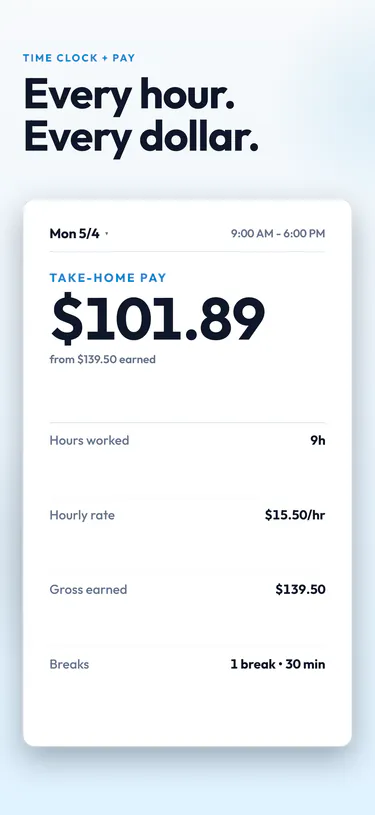
Tap once to clock in. TimeClock44 counts your hours, splits out overtime, and estimates what lands in your account after taxes in all 50 states plus DC.
Free. No account. Works offline.
Clocked in at 9:00 AM
Live demo. Your real shifts stay on your phone.
Designed for real work
What you get
No spreadsheets, no guessing. Tap in, tap out, and the math is done by the time you get home.
-
One-tap clock in
Start or stop a shift with one tap. Works offline and keeps your data on your phone.
-
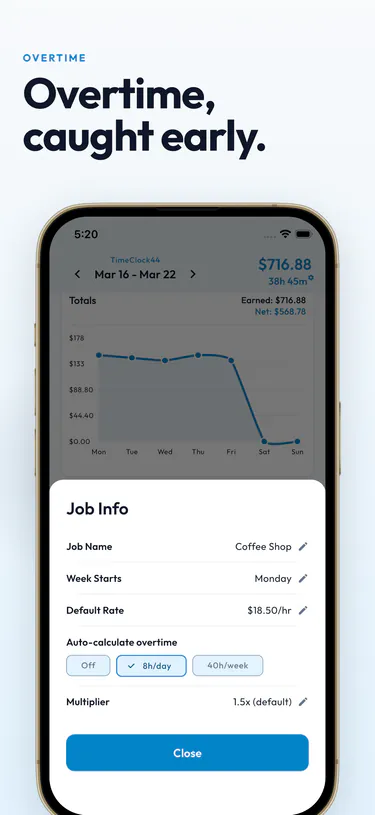
Overtime, caught early.
Set a daily or weekly threshold and a multiplier once. Every week is separated into regular and overtime hours.
-
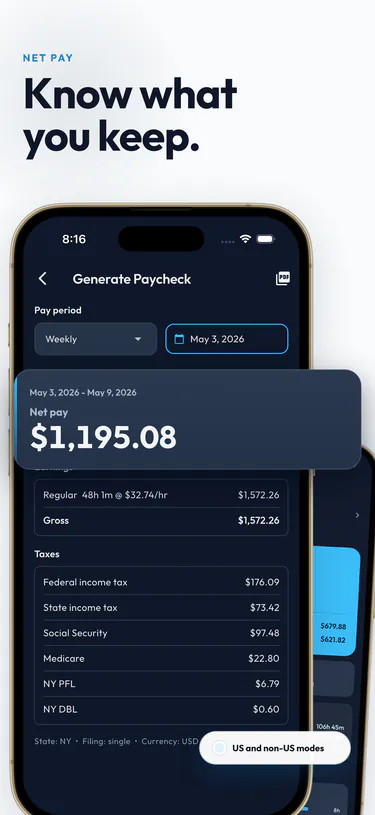
Know your take-home pay.
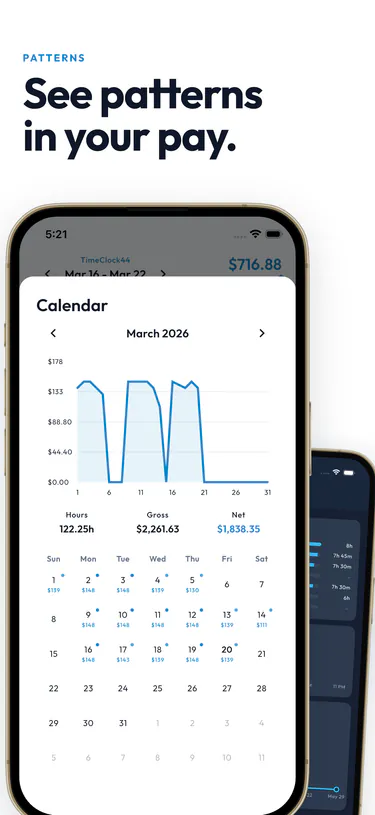
See what should hit your bank account, not just gross. State and federal estimates for all 50 states plus DC.
-
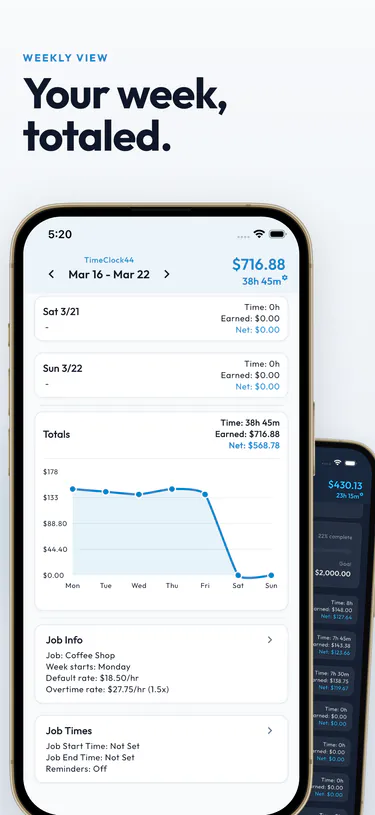
Weekly timesheets, totaled.
Shifts, breaks, and totals for the week in one view. Export as CSV, PDF, or text.
-
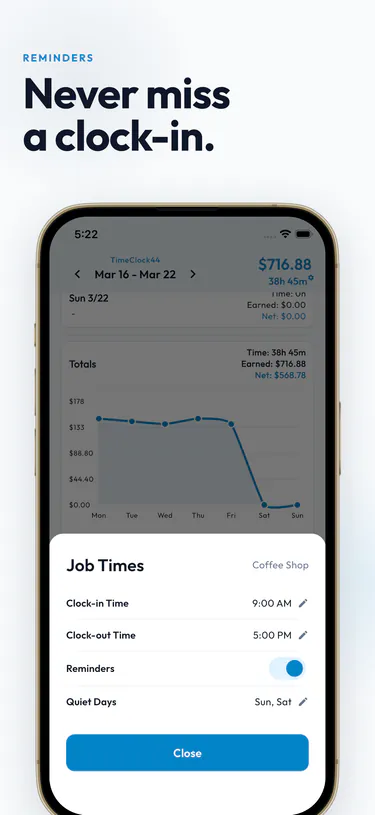
Never miss a clock-in.
Get a nudge to clock in or out. Set quiet days for when you are off.
-
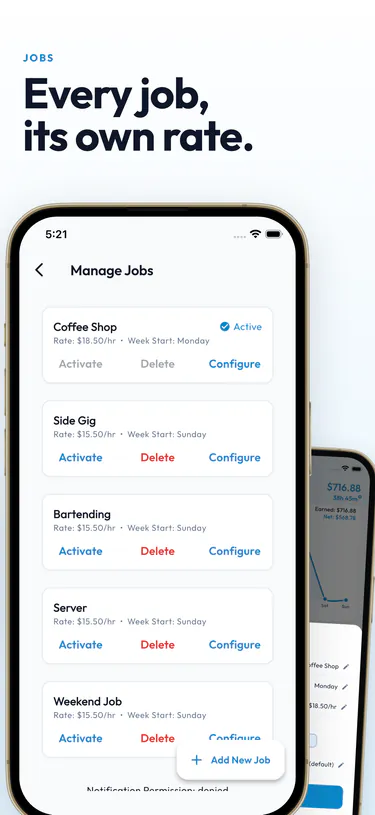
Multiple jobs, each with its own rate.
Give each job its own rate and overtime rules. Switch between them in one tap.
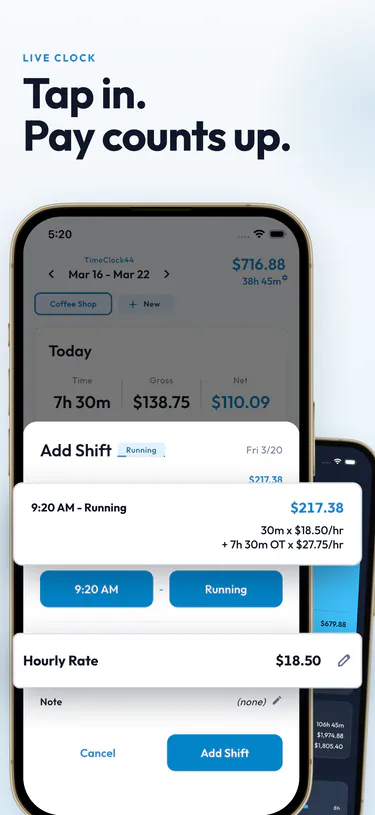
Tap in. Pay counts up.
TimeClock44 is a free work hour tracker that replaces paper timesheets. Clock in and out with one tap, and the app does the overtime and payroll math for you.
-
Clock in to start
Open the app and tap to clock in. A live timer starts counting right away. Forgot to punch in? Add or edit shifts by hand anytime. The time clock works offline and keeps all your data on your device.
-
Take a break, keep tracking
The app tracks your working hours, breaks, and overtime as you go. Set a daily or weekly overtime threshold with your own multiplier, then review it all on a weekly timesheet.
-
Clock out and see what you earned
Tap to clock out and the app estimates your take-home pay after state and federal taxes for all 50 US states. Need records? Export your timecard as CSV, PDF, or text.
How work hours and overtime are calculated
Under the Fair Labor Standards Act (FLSA), the standard workweek is 40 hours. Any hours worked beyond 40 in a single week must be paid at 1.5 times the employee's regular rate. Some states add their own rules. California, for example, also requires overtime after 8 hours in a single day and double time after 12 hours.
Here's how gross pay with overtime works:
(Regular hours × rate) + (Overtime hours × rate × 1.5) = gross pay
- Mon8h
- Tue8.5h
- Wed9h
- Thu8h
- Fri9h
| Regular | 40h × $18.50 | $740.00 |
|---|---|---|
| Overtime | 2.5h × $27.75 | $69.38 |
| Gross pay | $809.38 |
Net pay is what remains after subtracting federal income tax, state income tax, Social Security (6.2%), and Medicare (1.45%). Tracking your hours accurately is essential. Payroll errors are common and harder to dispute without records.
TimeClock44 tracks all of this for you. Get it free on iOS and Android.
Whether you drive, serve, or freelance
Hourly workers, gig drivers, freelancers, part-timers. If you get paid by the hour, TimeClock44 tracks your work hours and shows you what you actually earned.
-
Hourly employees
Clock in, clock out, done. Your weekly timesheet, overtime, and take-home pay are all in one place, so you are never guessing what your check will be. A time card, minus the paper.
-
Gig and delivery drivers
Log driving hours across several gig apps. Each app gets its own job with separate hours, so you can see your real hourly wage per app. Export a work log when tax time comes around.
-
Freelancers and contractors
Set up a job for each client with its own hourly rate. Billable hours and income stay separate, and you can export timesheets as CSV or PDF when it is time to invoice.
-
Part-time and shift workers
Schedule changes every week? The app keeps a work log no matter what. Set clock-in reminders so you never forget to punch in, and see how picking up an extra shift changes your pay.
Common questions
Is the hours tracker really free?
Yes. TimeClock44 is free. No account, no credit card. You can clock in, track overtime, and see your take-home pay without paying anything. There's an optional Pro upgrade for more themes and unlimited jobs.
How do I clock in and clock out?
Tap the clock-in button to start your shift. A live timer shows your running hours and estimated earnings. When your shift ends, tap clock out. If you forgot to punch in or out, you can add or edit shift times manually.
How does the overtime calculator work?
Set your overtime threshold to daily (over 8 hours) or weekly (over 40 hours), then pick a multiplier (1.5x by default). The app splits your time into regular and overtime hours and figures out the pay for each.
Can I track hours for multiple jobs?
Yes. Create separate jobs with their own hourly rates, overtime rules, and reminders. Switch between them in one tap. Each job keeps its own timesheet and earnings history.
Does it calculate my take-home pay?
TimeClock44 estimates your net income using state-by-state tax calculations for all 50 US states. Select your state and filing status, and the payroll calculator shows both gross earnings and estimated take-home pay.
Can I export my timesheet?
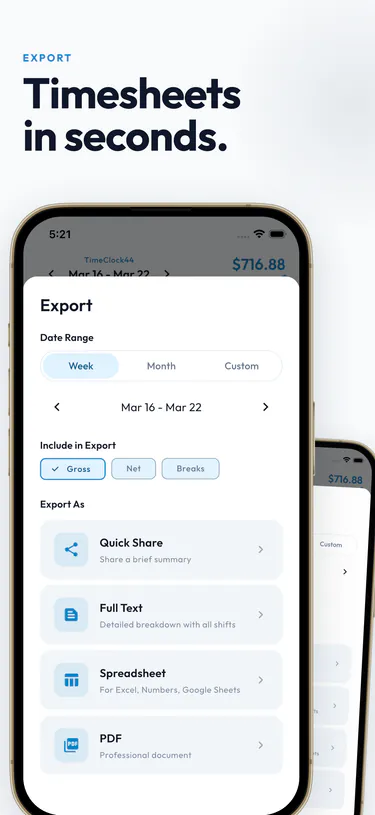
Export your time card in four formats: Quick Share for messaging, Full Text, CSV for spreadsheets like Excel or Google Sheets, and PDF. Each export includes shift times, breaks, overtime, and earnings for any date range.
Does the time clock work offline?
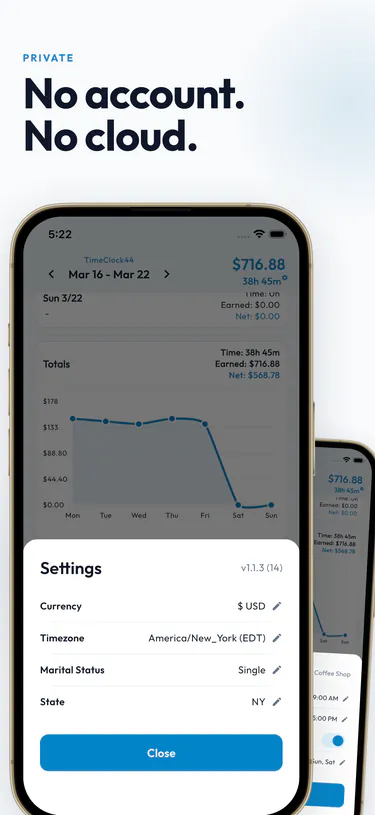
Yes. All data is stored on your device. Clock in, clock out, add shifts, and review your work log without an internet connection. No cloud account or sign-up needed.
What currencies and languages are supported?
62 currencies and 39 languages. The app shows your work hours and earnings in your local currency wherever you are.
Free. No account. No cloud.
Download the app and start tracking your hours in seconds. No ads, no sign-up.
Free calculators for hourly workers
No download needed. Work out a timecard, overtime pay, or tax savings in the browser.
Timecard calculator
Enter clock-in and clock-out times for each day. Get weekly totals, breaks, and gross pay.
Overtime pay calculator
Work out overtime pay from your hourly rate, regular hours, and overtime multiplier.
Weekly overtime tax savings
See how much you could save on overtime under the federal overtime tax exemption each week.
Annual overtime tax savings
Estimate your yearly tax savings on overtime pay under current tax law.